Lessons from a Blank Canvas

If you've spent any time in the Drupal world lately, you'll know about Canvas. It's the new component-based page builder that came out of an 18-month open source slog, and after building with it for a while now I'm convinced it's where Drupal page building is heading. I've already written up five tips and tricks for getting the most out of it - this post is the bigger-picture stuff, the things I wish someone had told me before I started.
I've had a lot of fun with Canvas and it's incredibly powerful - but it's also new(ish), and that comes with caveats. These are the takeaways I've run into for getting the most out of it, both as a developer and for the people using it day to day. Let's go through them.
Ground Up Design
Drupal CMS ships with a couple of themes that come preconfigured with their own components and opinions. But if you're going for a truly custom theme, you're building all of this from scratch. I've written before about the advantages of using a premium theme as your base, but when you start from scratch, you need to build from the ground up.
Layouts and base elements have to exist - and be right - before anything can sit on top of them. Build a component that depends on a primitive you haven't nailed down yet, and you'll be back rebuilding it later. So I follow a strict order now: base elements, then composites, then layouts.
- Base elements first - your true primitives. Typography, buttons, spacing, the small atoms everything else is made of.
- Composed components next - the things that actually slot into a page, built on top of those primitives.
- Layouts and sections last - the structural containers that arrange your composites.
Atomic design is popular right now, and for good reason. Think in dependency order, not feature order. The temptation is always to build the exciting, visible component first because that's the thing the client can see. Resist it - the exciting component is the one most likely to get torn up when the foundation beneath it moves.
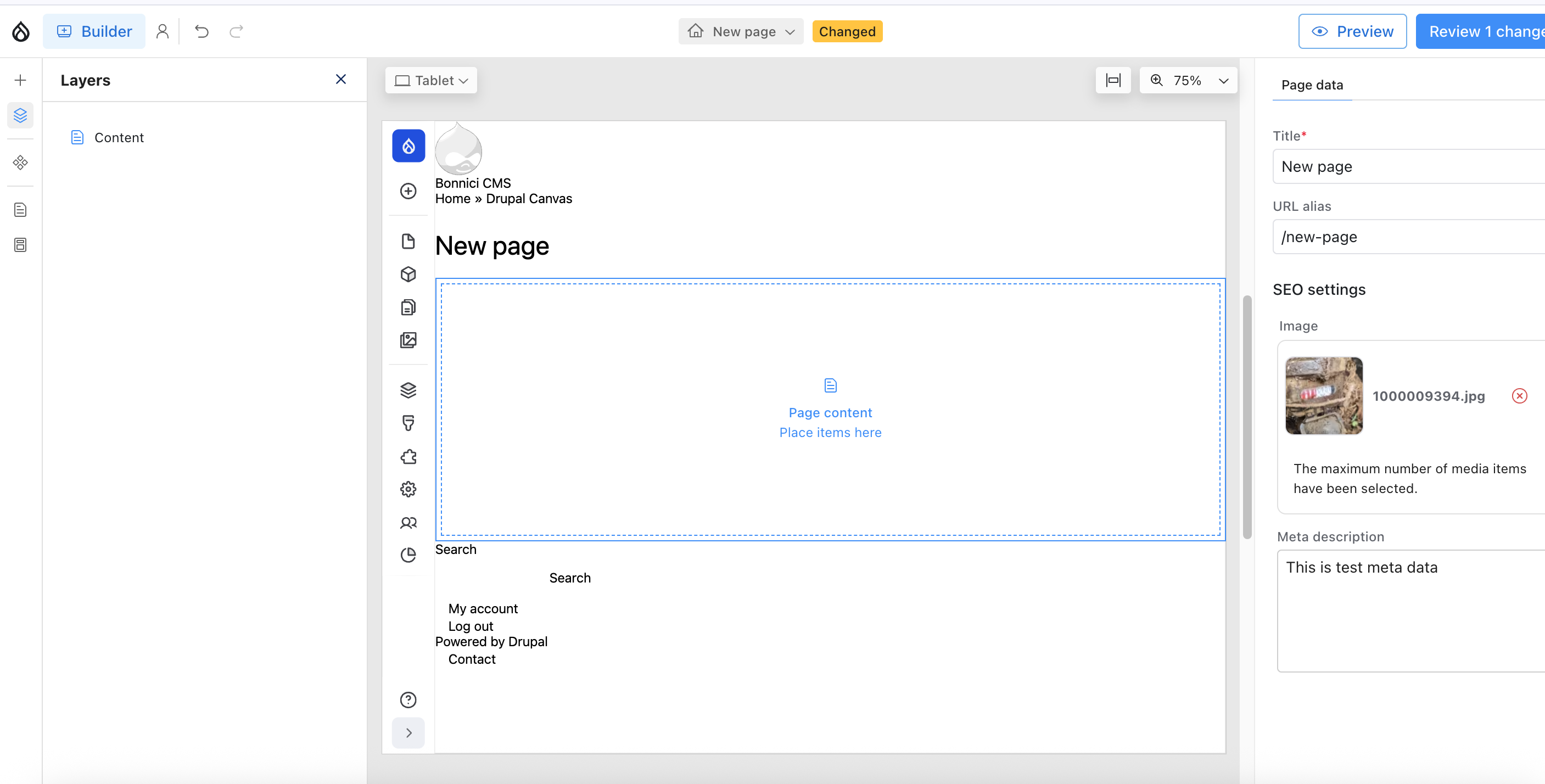
Keep it simple stupid
With all that freedom comes the urge to over-engineer, and Canvas will happily let you.
Keep it stupidly simple. All those nice-to-have props and options always came back to bite me. Once a component has more than five or six props, editors glaze over and panic-click. Slots aren't always necessary either - if a card has a preset image style, why add a slot with all its options and complexity when a simple media prop will do?
Naming became the bane of my existence. What is a 'Wrapper'? Where do I put the 'Grid'? Why isn't the text spacing option changing anything? Every one of these obscure micro-decisions chips away at an editor's ability to build effective, on-brand pages quickly. Simplifying the names and ruthlessly restricting options became a necessity.
Two rules I now follow:
Naming has to be brutally clear. A clear name does the explaining for you. Instead of seeing 'Block' in the UI and having to remember what it does, people see 'Person Card (Image + Text)'. Instantly decipherable.
More props usually means a less clearly defined component. I fell for this trap using Paragraphs too, so maybe it says more about me - but I now try to define each component tightly, with only a few props (there are obvious exceptions). If I can't explain what a component does in one sentence, or with its name, it's doing too much and I split it.
Combine blocks into patterns
This is where Canvas really shows off. Patterns, patterns, patterns.
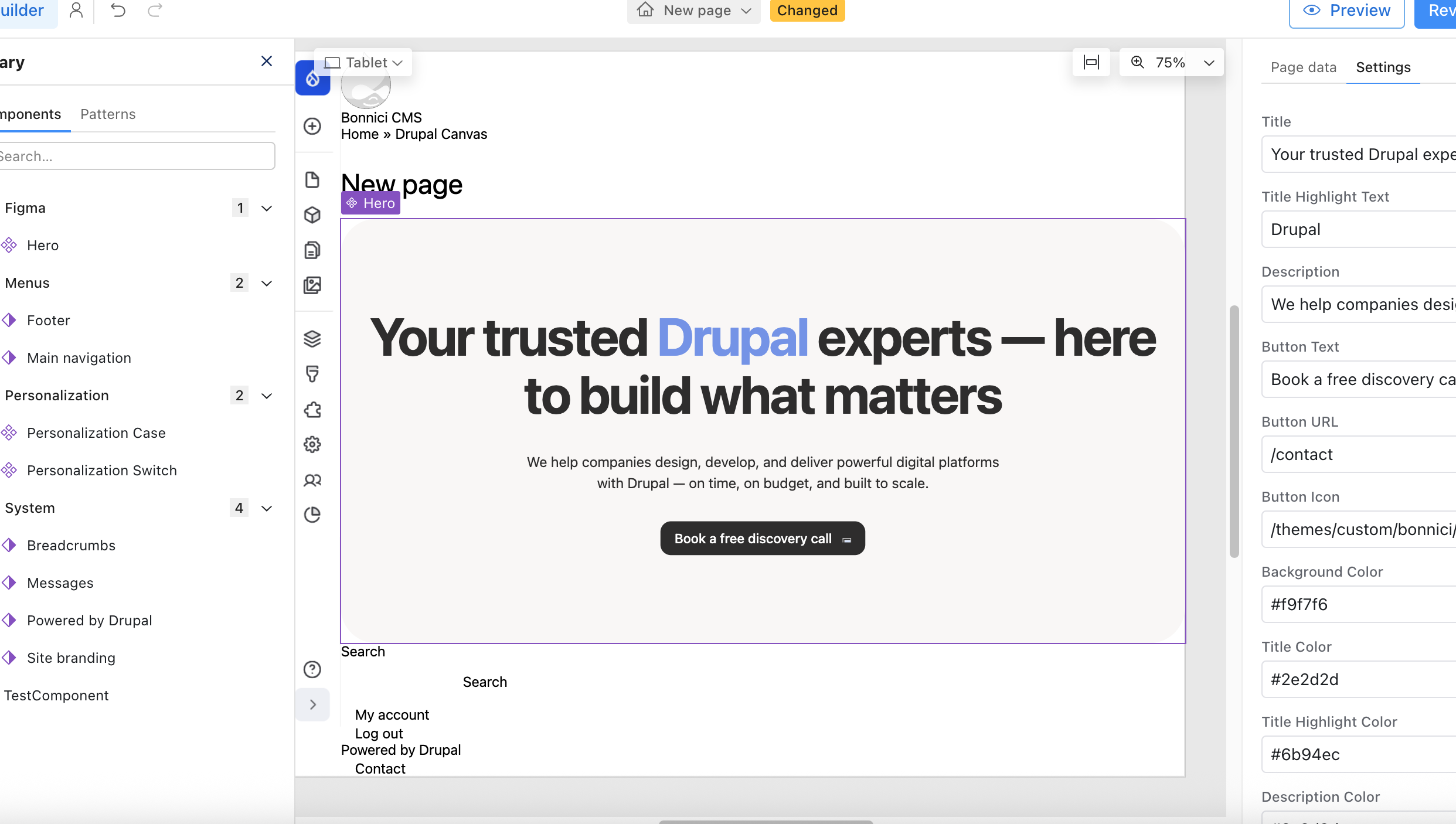
Patterns are combinations of your components saved as a predefined config - you can drop them across multiple pages and then tweak each instance however you see fit. Think a section with a heading, a paragraph and a pair of CTAs, or a media block wrapped in a particular layout. Those recurring combinations are your patterns, and Canvas lets you save them and reuse them across the build.
Get this right and the speed is addictive. Editors love it - they can throw a page together in minutes, with none of the pain of meticulously dragging every component into its slot. I've said it before and I'll say it again: this is where Drupal Canvas really shines. You still get granular, low-level drag-and-drop when you need it, but the predefined patterns give you a fast, consistent starting point.
For every client on Canvas, I recommend patterns first. Start with patterns - they're the shape of your site. You won't drift off-brand, and everything stays consistent.
You'll build what you take for granted
For all the good stuff, I still get caught out by things we take for granted in the wider Drupal ecosystem - things that, because this is a newer project, just aren't here yet.
One surprise was the lack of a block access hook for page entities, to show or hide them accordingly. I ended up writing a basic hook for it - simple, but something I assumed would be included. Another was role-based access to components. The community had been asking for it too, so I built and released a contrib module: Canvas Component Access.
Bigger-picture features aren't all there yet either. Revisions are still a bit janky - you have to revert before you can actually view one - and multilingual isn't supported. It's all on the horizon, but for larger clients who need these today, Canvas is off the table for now.
Final thoughts
I'm bullish on Drupal Canvas and plan to use it with all new clients going forward. I can't see a world where this kind of page-building experience isn't simply expected, and I'm fully on board.
There's still plenty of maturity to come, but I'm pumped to see where it goes.
Get the newsletter
Drupal insights and client stories, delivered fortnightly. No spam, unsubscribe anytime.