Let ChatGPT and Claude Talk to Your CMS

We have flipped a switch in the way we work. No longer do we have 20 different systems to manage and interface with. Now, we have our intermediary (ChatGPT, Claude etc) that connects into all our systems and helps us run it from one spot. I wrote last year about turning your CMS into an MCP server. That post was about a local setup from a technical point of view - your site wired into one desktop app on one machine. Useful for seeing the idea work but not something you hand to a marketing team.
This is the version you can, by giving a single URL that ChatGPT or Claude connects to, where people sign in with their account they already have and immediately start asking your website questions.
The new way we manage systems
Someone opens Claude or ChatGPT, picks your site from their connector list, and types a question. The assistant queries the CMS directly and answers from live data.
- "Which of our service pages haven't been updated in over a year?" Runs a content audit across every page, filtered by type and last changed date.
- "Summarise this week's contact form submissions and flag anything urgent." Reads the form submissions straight out of the CMS. No CSV export, no spreadsheet.
- "Create a Case Study content type with client, industry, challenge, solution and outcome, and a Services category list to sort them by." Builds the content type, adds five fields, creates the category list, wires the two together. About ten admin screens, collapsed into a sentence.
- "Find every image missing alt text and write it." Locates the media, generates the alt text, saves it back. This one is a tool in its own right - the site ships it.
- "Schedule the three draft announcements to publish Monday at 9am." Sets the publication dates, same as a person clicking through the scheduling screen would.
- "Import these 340 redirects from the old site and check none of them loop." The kind of migration chore that eats an afternoon and nobody enjoys.
Every one maps to a real tool on the site with the assistant working out which to call on its own.
Here is a real exchange, with the site address swapped out:
Create a test article, for me and send me the link
Used the site connector, loaded tools
Done. Node 269, unpublished.
View:
https://your-site/node/269Edit:https://your-site/node/269/edit
Two turns of typing, and the thing exists. It came back unpublished with both links, which is the behaviour you want from a write operation you didn't specify much about.
How much of the system it reaches
Installed and switched on, the modules expose 143 tools between them, and they split almost exactly down the middle: 71 read, 71 write, one admin.
Grouped roughly by who cares about them:
Content people get search, recent content, content audits, duplicate detection, form submissions, workflow states and history. Then create, update, publish, unpublish, schedule, and bulk operations across all of it.
Marketing and SEO get an SEO analysis, an accessibility check, broken link detection, redirect management, URL patterns, meta tags and image presets. "Check the site for broken links and accessibility problems" is one message rather than three tools and a report.
Site builders get content types, fields, categories, roles, permissions, listings, blocks, menus and page layouts. This is the category that surprised me - describing a content model in a sentence and watching it appear is a different experience from clicking through the admin.
Whoever keeps the lights on gets site status, scheduled jobs, queues, caches, security updates, log analysis, orphaned files and config differences.
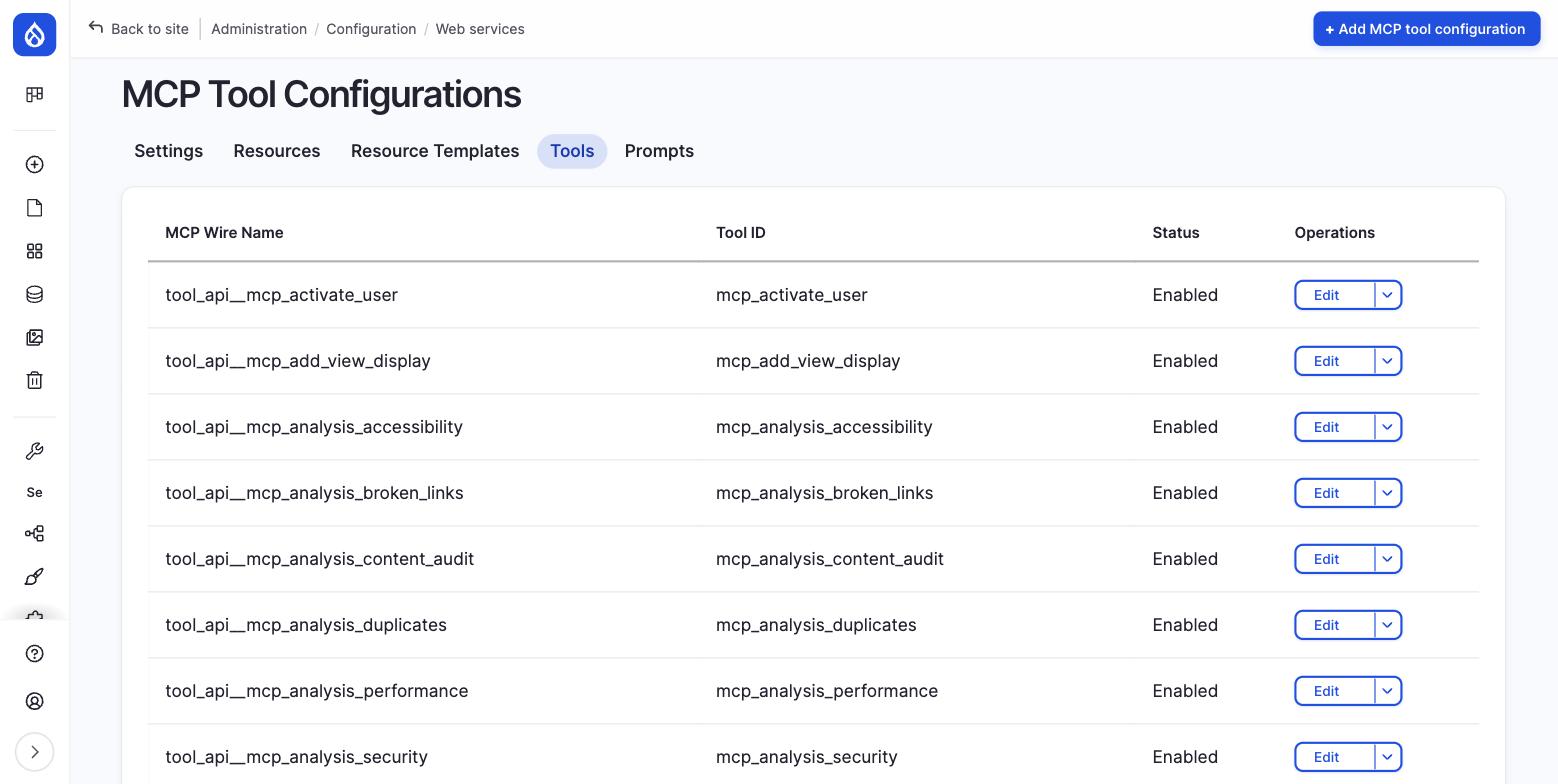 Every tool is opted in individually. Nothing reaches an AI assistant unless it appears on this list.
How the connection works
You give the assistant one URL and everything else it works out by asking your site.
The assistant asks your site what tools it has and what permissions each one needs, registers itself, then hands the person over to your normal login to sign in and approve it. That's the login they use every day, so whatever password policy you already enforce still applies. There's no second list of users to keep in step, and no API key to email around.
That last point is the one I'd put in front of a nervous stakeholder. People get exactly the access they already had. An editor connecting their ChatGPT account can do what an editor can do in the admin screens. Nothing more. And on top of their own permissions sits a second limit - a scope - so you can hand someone a read-only connection even though their account can edit.
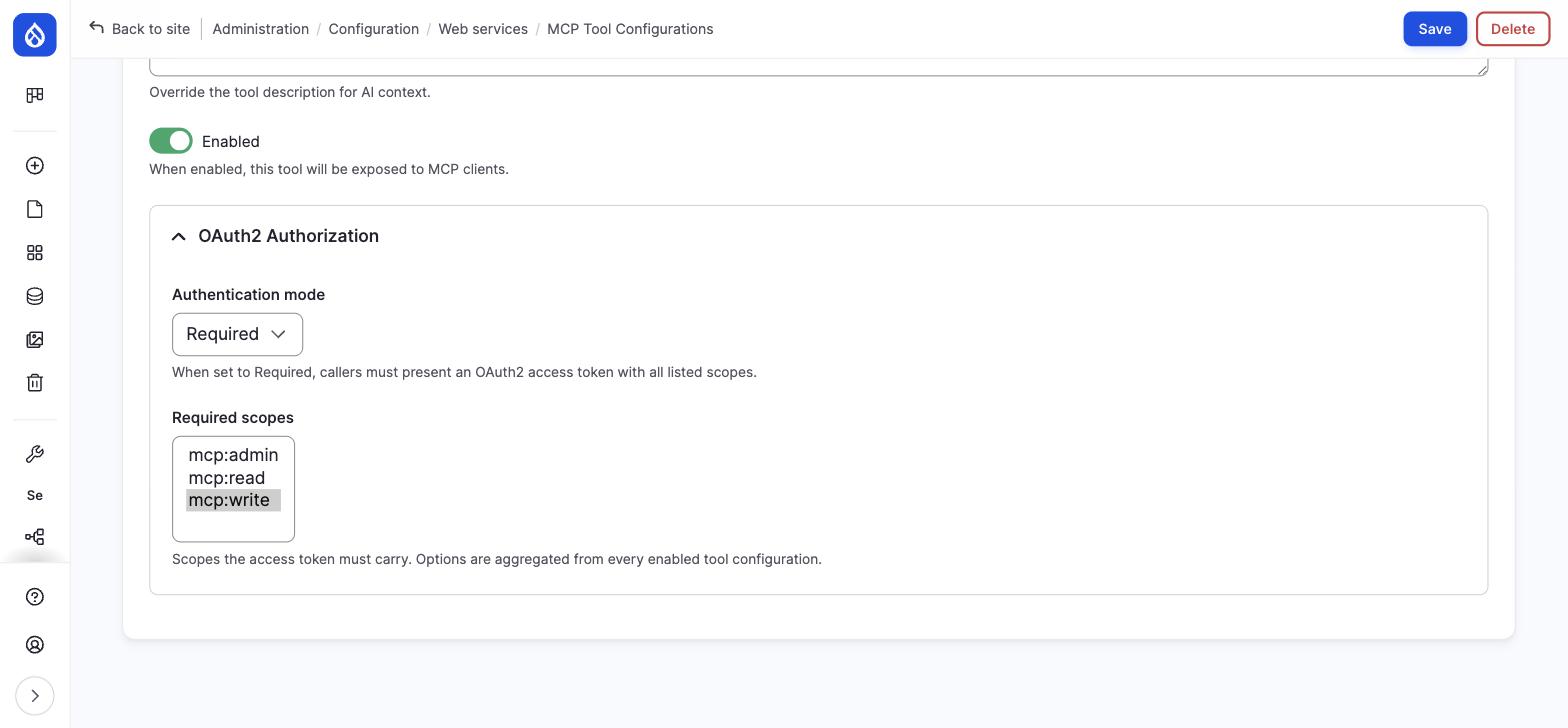 Per-tool permissions. This one needs write access, so a read-only connection can't touch it.
For Claude or ChatGPT on the web it's Settings, then Connectors, then paste the URL. For developers using Claude Code it's one line:
claude mcp add --transport http mysite https://your-site/mcp
The part that still needs a person
Everything was configured. The admin screens showed every tool locked behind a permission, and the site's own published description of itself listed the right scopes. So I issued a read-only connection, asked it to run a write operation, and watched it go straight through.
The module matching tool names to their permission settings was looking for the wrong separator character. It never found a match, so it allowed everything. One patch fixed it, but it had failed open, and it looked correct from every screen a person would think to check.
I also found Block User and Activate User both declared as read operations. They are not. Both change an account, and a connection I would have described to a client as read-only could have locked someone out of the site.
Neither of those is a story about AI. They are the ordinary thing where a system reports success and somebody has to go and check. What is different is what you are handing over: a tool that acts on its own, approved through screens that were themselves wrong.
Two habits come out of it. Test the thing you blocked, not the thing you allowed - everything passes on the happy path. And test as an editor rather than an administrator, because administrators bypass permission checks entirely, so you will never see the limit you just set.
Where I'd use this today
Of the eight contributed projects involved, exactly one has a stable release, and three had no published release at all - installing those appeared to succeed while putting no files on disk. That is not a reason to stay away. It is a reason not to point it at production this quarter.
An internal or staging environment, weighted towards reading, with a purpose-built role rather than someone's admin account - and somebody who has actually watched a blocked action get refused before anyone calls it secure.
One practical snag: if your staging site sits behind a password prompt at the server level, connectors can't reach it - they need to read a couple of public files before they can authenticate, and a password prompt blocks that first step. Those files give nothing away, so exempting them is safe.
Even limited to reading, it earns its place. Your content team querying the live site from the tool already open on their second monitor, without learning the admin screens or waiting on a report, changes how people work with a CMS.
Production write access from a hosted assistant is a next-year conversation. The foundation underneath - the authentication layer, the permission model, the login your team already uses - is solid and stable. The MCP layer on top needs a couple of release cycles.
The direction hasn't changed my mind, though. A CMS with structured content and a real permission model is a better fit for this than most systems, which is the same argument I made the first time round. Your CMS stops being the place you go to manage content and becomes something your tools can work with directly. That's worth getting ready for, even if you wait a version or two before switching on the write access.
Header image: Future plc.
Get the newsletter
Drupal insights and client stories, delivered fortnightly. No spam, unsubscribe anytime.